
- Windows
- MacOS
1
Click the Windows button and type Notepad in the search bar.
2
Right click on Notepad and then Run as Administrator.
3
You’ll be asked, “Do you want to allow this app to make changes to your device?”. Choose Yes.
4
In Notepad, choose File then Open.
5
Navigate to
C:\Windows\System32\drivers\etc\hosts or click the address bar at the top and paste in the path and choose Enter. If you don’t readily see the host file in the /etc directory then select All files from the File name: drop-down list, then click on the hosts file.6
Add this line:
This tells your computer to resolve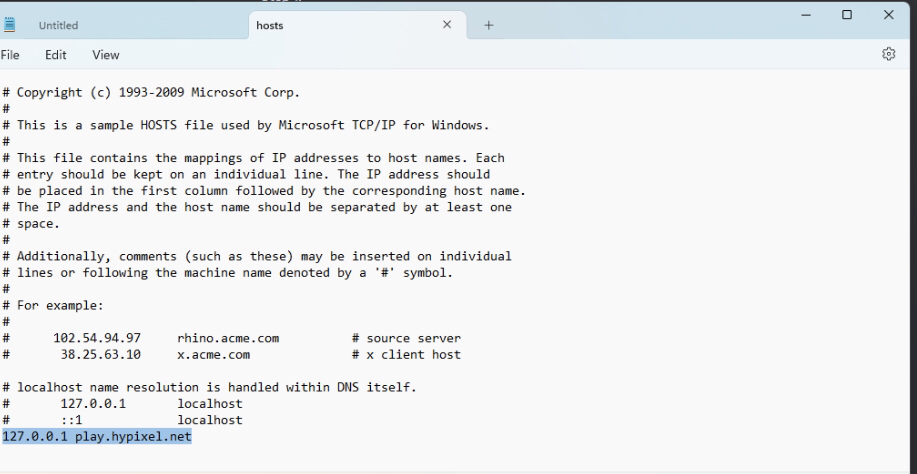
127.0.0.1 play.hypixel.net. This tells your computer to resolve
play.hypixel.net to localhost instead of Hypixel’s IP.7
Go into your server list and set your Lilith server IP to
play.hypixel.net.