
Tab Stats
To see Tags in Tab Stats you need to add thetags component to your desired gamemode’s layout (Bed Wars, SkyWars, etc.).
The component is added by default.
Tags column will appear and the tag title of any tagged players will appear.
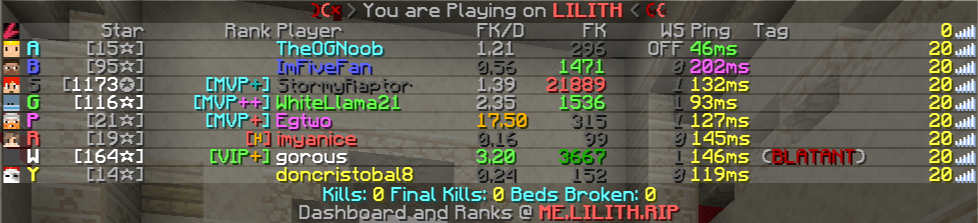
gorous has a BLATANT tag.
If you wish to automatically see additional informations about the tag, the Tags Recap feature is what you’re looking for.
Chat Stats and /sc
If you have Chat Stats enabled Lilith will, by default, pull the requested user’s tag and will display it in the chat message. To view additional information about the tag, hover the chat message.
